There are photos available here for the Pot Luck dinner held on November 21.
Windsor Perimenter Access Gate now serviceable
The Windsor perimeter access gate (Man Gate) was recently repaired and is now fully serviceable.
Chelsea Christmas Variety Show
All are invited to the ” A Canadian Christmas in Chelsea” variety show .

Windsor Access System Resources
A new page (Windsor Access System Resources) was added to the website with links and resources to the recently installed access system in the Windsor. The page can be accessed at any time via a MENU: DOCUMENT LIBRARY/WINDSOR ACCESS SYSTEM RESOURCES
- YouTube Video of the WeTech contractor conducting a walk through of the system demonstrating items such as facial recognition, SmartPlus app, setting up temp passes, blue tooth access etc.
- SmartPlus application guide – how to install the SmartPlus application on a smart phone.
- Akuvox SmartPlus guide – document with instructions in how to access face recognition, adding family members, issuing temperary passes etc using the SmartPlus app.
- Recently Released (today) AI assistant.
-
This assistant provides personalized, step-by-step guidance based on the exact system you’re using. You can ask it questions such as:
- How do I add or remove a resident?
- How do I set up a temporary key for a visitor?
- How do I update my phone number?
- How do I use Face ID to unlock the door?
- How do I set up the app?
- Troubleshooting any issues
-
How to use it:
-
-
-
- Type your question in normal English — no special wording needed.
- The assistant will respond with clear, personalized instructions.
-
-
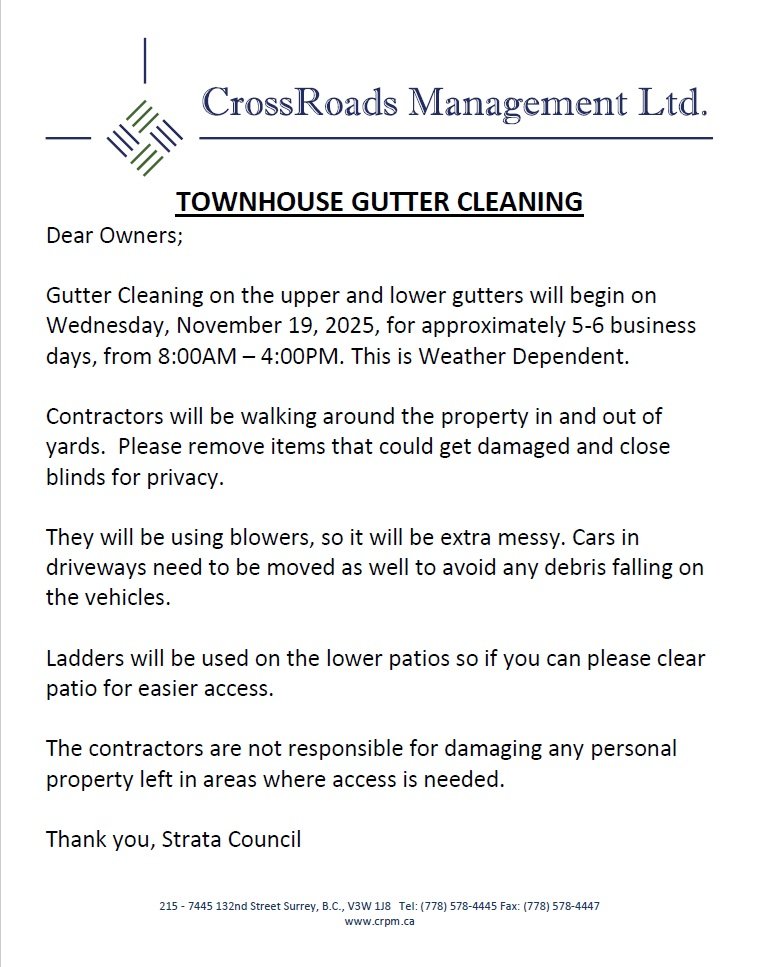
Townhouse Gutter Cleaning
See notice below regarding townhouse gutter cleaning.
Strata Council Meeting Minutes
The minutes for the Strata Council meeting held on October 28th are available for download here.
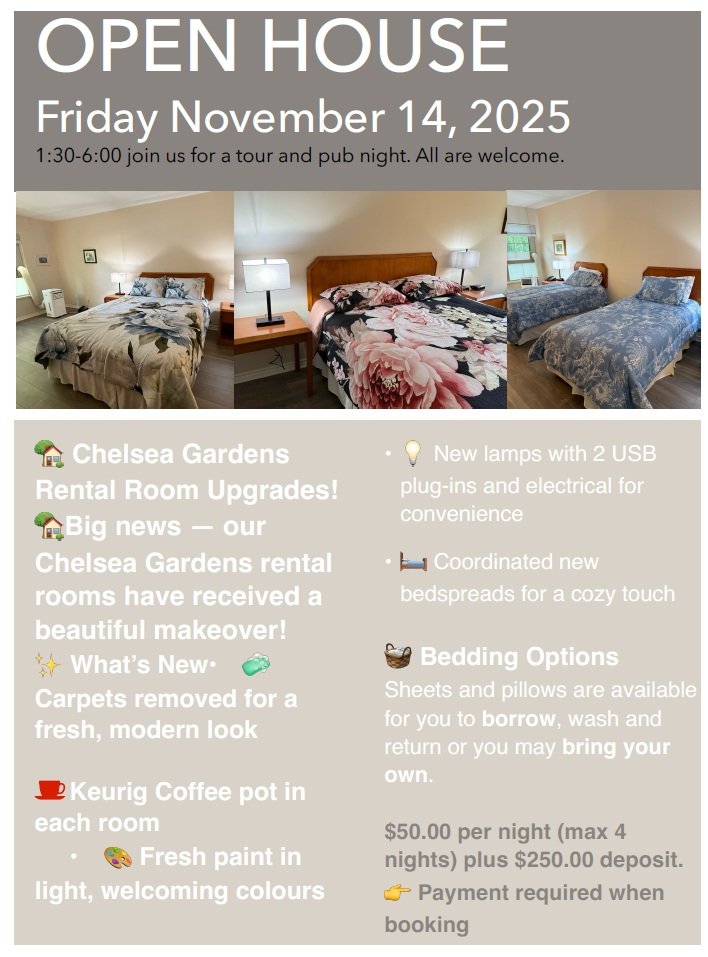
Guest Room Open House November 14th
See our Guest Room open house Friday November 14th,
Halloween Photos
Photos of our many varied Chelsea Halloween costumes are available for download here. All of our current and past photos can be accessed via the MENU: EVENT PHOTOS/VIDEOS—-EVENT PHOTOS page.
External man gate near Windsor unserviceable
The external man-gate outside of the Windsor is presently unserviceable. Please use the gate near the Kensington.
Windsor Smartplus application for FOBS
This is for the Windsor residents at this time regarding the recently installed FOB access system . The following link is for the SmartPlus Application guide to step you through the installation process of the SmartPlus application. This application will allow enhanced access via your celluar phone . Credentals are in the process of being sent to your email shortly these credentals are important in setting up the application.